Sound of Music
CSV Convert Tool
Instructions for importing in LightSpeed
- Unzip the files in the download folder.
- Open the LightSpeed Retail Inventory import tool
- Select the Retail.csv to import
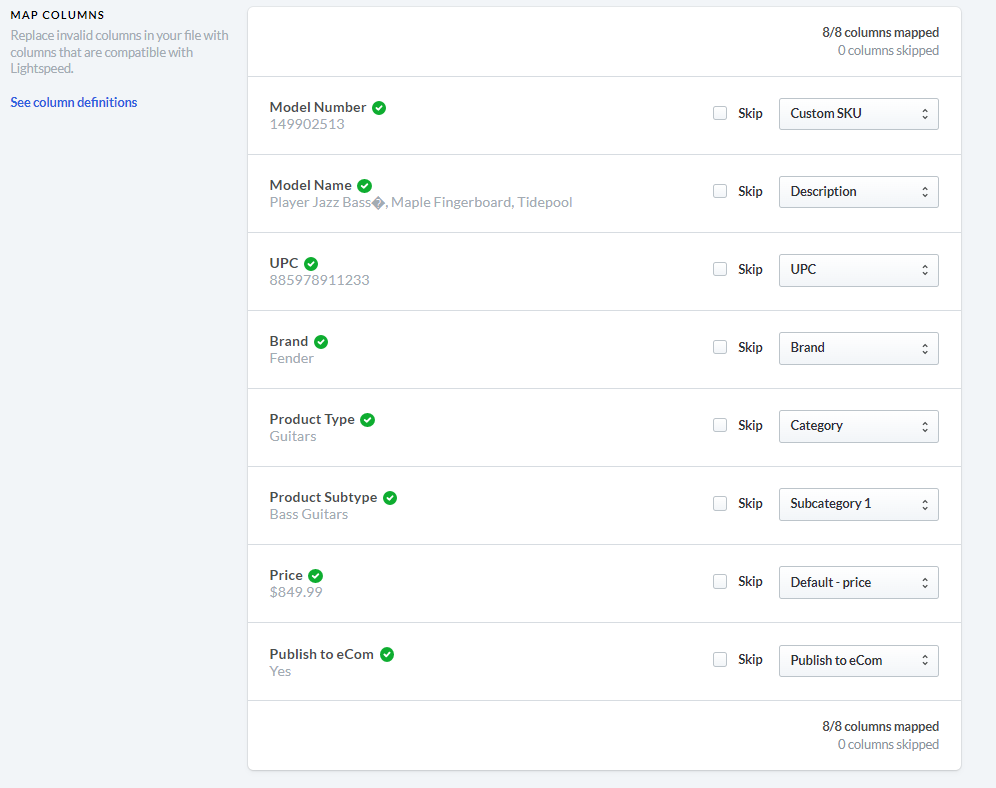
- Map columns as seen here
- Import the file
- Open the LightSpeed eCommerce product import tool
- Select the eCommerce.csv to import
- In the Choose What to Import dropdown, choose "Products"
- In the Behavior dropdown, choose "only update existing products"
- In the Find By dropdown, choose "Article code"
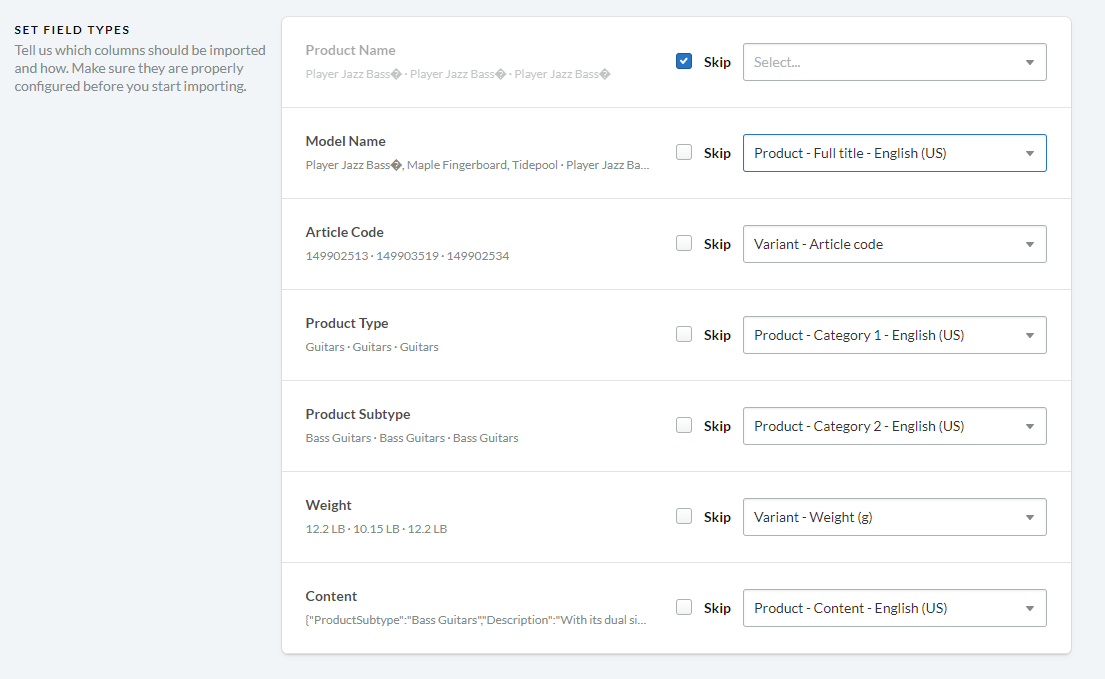
- Map columns as seen here
- Import the file
-
In the eCommerce platform, view your new products and change the Hidden dropdown to Show if you
would like the product to be visible online.